BSV
Purpose
An additional tool which displays the video stream with the status of the LEDs annotated. Can be used for debugging purposes.
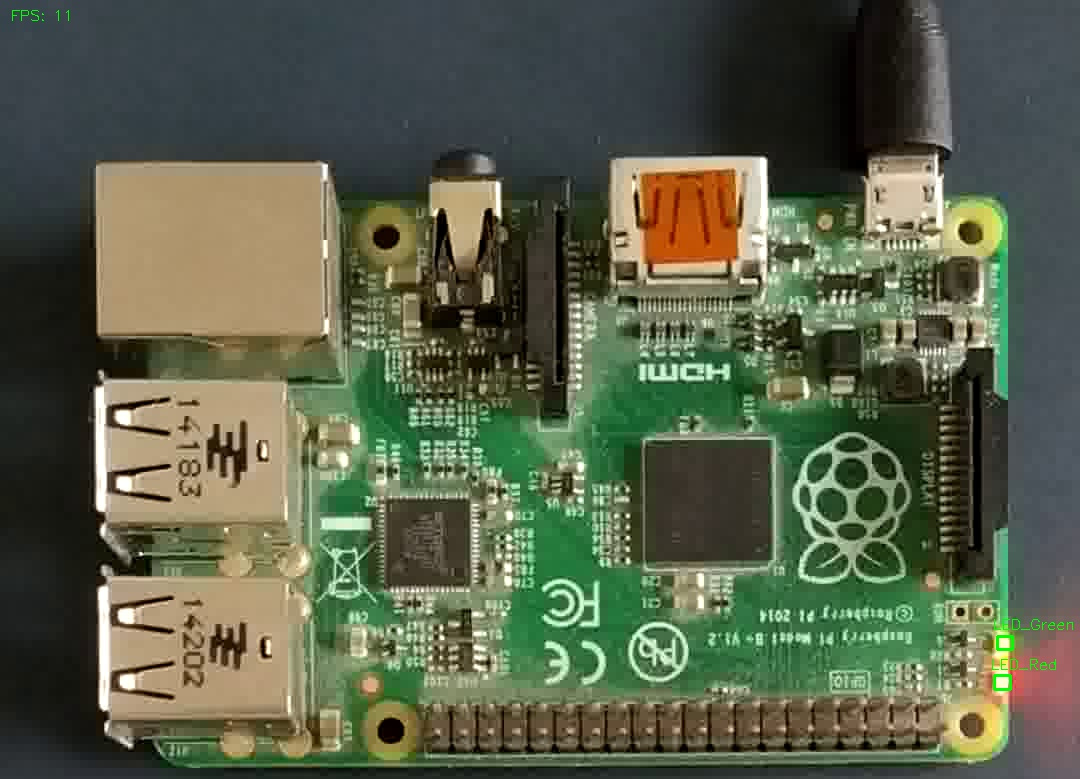
The picture shows the board state visualizer for the a raspberry pi. In this case the LEDs are both on.
Explanation
In the top left corner the current frame rate per second is displayed
The LEDs do have a bounding box either in green or red. The color indicates the detected state: red -> off, green -> on.
The name is displayed above the LEDs
Usage
Can be started with the -v or –visualizer flag in the CLI. A rtmp stream with the annotated frames on port 8080 will be started. With the ffplay command this stream can be displayed.